How to Send PDF Invoices & Alerts via WhatsApp API (2026)
By OTP Edge Team
Overview
Email is broken for critical transactional messages. When you send a PDF invoice or an urgent payment alert via email, it often lands in the "Promotions" or "Spam" folder, resulting in delayed payments and frustrated customers.
Enter WhatsApp Utility Messaging.
Using the WhatsApp Business API, you can send transactional updates—like PDF invoices, shipping alerts, and payment confirmations—directly to a user's WhatsApp inbox with a 98% open rate and near-instant visibility.
In this guide, we'll explain how Utility conversations work and how to implement them.
What is a Utility Conversation?
Meta classifies WhatsApp business-initiated messages into three main categories: Marketing, Authentication (OTPs), and Utility.
Utility messages are strictly transactional. They must relate to a specific, agreed-upon transaction or account update.
Examples of approved Utility messages:
- Order confirmations and shipping updates.
- Monthly billing statements (PDF attachments).
- Payment receipts.
- Account alerts (e.g., suspicious login attempt, low balance).
Examples of what is NOT a Utility message:
- "Your invoice is ready. By the way, check out our new product!" (This makes it a Marketing message).
- Newsletters.
- Cart abandonment reminders (Meta considers these Marketing).
The Power of PDF Invoices on WhatsApp
Sending an invoice via WhatsApp isn't just about text; it's about rich media and interactivity.
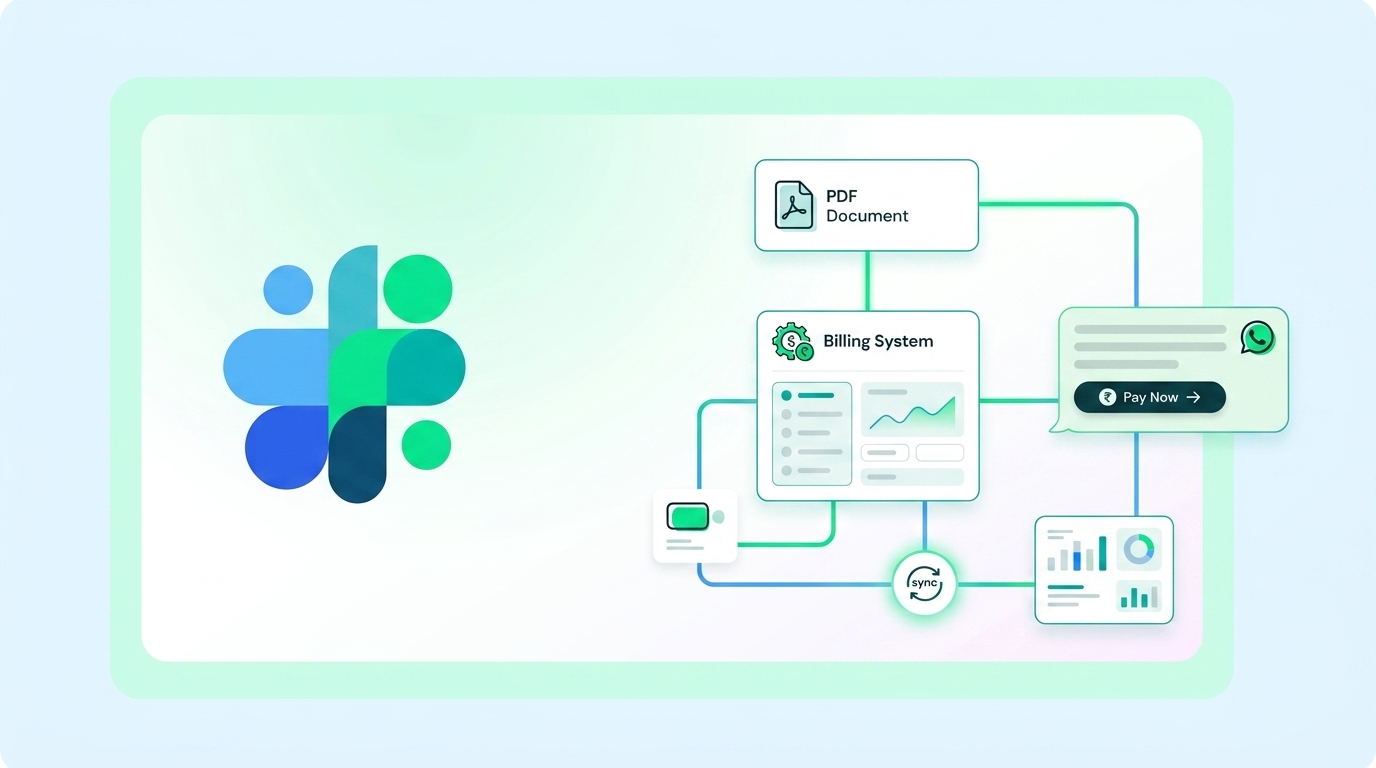
With a Utility template, you can send a message that includes:
- A Document Header: The actual PDF invoice attached directly to the message.
- The Body: "Hi {{1}}, your invoice for {{2}} is attached and due on {{3}}."
- A Payment Button: A Call-to-Action button that links directly to your payment gateway (e.g., Stripe) with a unique payment URL.
This creates a frictionless payment experience. The customer receives a notification, views the PDF within WhatsApp, and clicks a button to pay instantly.
The Opt-In Requirement
Just like Marketing messages, Utility messages require active user opt-in. However, obtaining opt-ins for Utility messages is generally much easier, as users want to receive their receipts and shipping updates.
The best place to capture this opt-in is during checkout or account creation. A simple checkbox stating, "Send my receipts and order updates via WhatsApp," is usually sufficient.
Step-by-Step API Implementation
Let's look at how to send a PDF invoice using the OTP Edge API.
1. Create the Utility Template
In your OTP Edge dashboard, create a template in the Utility category.
- Header Type: Document
- Body:
Hello {{1}}, please find your invoice for the month of {{2}} attached. The total amount due is {{3}}. - Buttons (Optional): Call to Action ->
[Pay Now]-> URL:https://yourdomain.com/pay/{{4}}
Submit the template for Meta's approval (usually takes less than 2 minutes).
2. Send the Message via API (Node.js)
Once approved, you can trigger the message programmatically. You will pass the PDF URL in the header object, and the dynamic variables in the variables array.
const axios = require('axios');

async function sendInvoiceWhatsApp(phoneNumber, customerName, month, amount, paymentId, pdfUrl) {
  try {
    const response = await axios.post('https://api.otpedge.com/v1/send-message', {
      to: phoneNumber,
      app: 'YOUR_APP_ID',
      type: 'template',
      template: {
        name: 'monthly_invoice',
        category: 'UTILITY',
        components: [
          {
            type: 'header',
            parameters: [
              { type: 'document', document: { link: pdfUrl, filename: 'Invoice.pdf' } }
            ]
          },
          {
            type: 'body',
            parameters: [
              { type: 'text', text: customerName },
              { type: 'text', text: month },
              { type: 'text', text: amount }
            ]
          },
          {
            type: 'button',
            sub_type: 'url',
            index: 0,
            parameters: [
              { type: 'text', text: paymentId } // Appended to the button URL
            ]
          }
        ]
      }
    }, {
      headers: { 'Authorization': `Bearer YOUR_API_KEY` }
    });

    console.log('Invoice sent!', response.data.messageId);
  } catch (error) {
    console.error('Failed to send invoice:', error.response.data);
  }
}
Pricing for Utility Conversations
Meta charges a flat, destination-based fee for Utility conversations. This fee opens a 24-hour window where you can send unlimited subsequent messages (of any type) to that user.
Because Utility conversations are significantly cheaper than Marketing conversations, it is crucial to ensure your templates do not contain any promotional language, or Meta's AI will re-categorize them as Marketing and charge you the higher rate.
Get Started
Start sending automated PDF invoices, payment links, and shipping alerts today. Sign up for OTP Edge to access our easy-to-use API and dashboard.